

Notice
Recent Posts
Recent Comments
Link
| 일 | 월 | 화 | 수 | 목 | 금 | 토 |
|---|---|---|---|---|---|---|
| 1 | 2 | 3 | 4 | 5 | 6 | |
| 7 | 8 | 9 | 10 | 11 | 12 | 13 |
| 14 | 15 | 16 | 17 | 18 | 19 | 20 |
| 21 | 22 | 23 | 24 | 25 | 26 | 27 |
| 28 | 29 | 30 |
Tags
- Java데이터 타입
- 집합관계
- Java
- JAVA기초
- JAVA객체지향
- 메서드
- 컴파일
- 상수
- 연관관계
- 인텔리제이 기초 설정
- multi-threading
- Thread
- for문
- continue문
- 인텔리제이 한글 깨짐 해결법
- 접근제어지시자
- 메서드 오버로딩
- 반복문
- IntelliJ IDEA
- 자바 멀티스레딩
- 시스템 환경 변수 편집
- break문
- 형 변환
- While
- function
- OPP개념
- this예약어
- java변수
- 포함관계
- 생성자
Archives
- Today
- Total
최원종의 개발 블로그
V1(익명블로그)-게시글 수정하기 본문
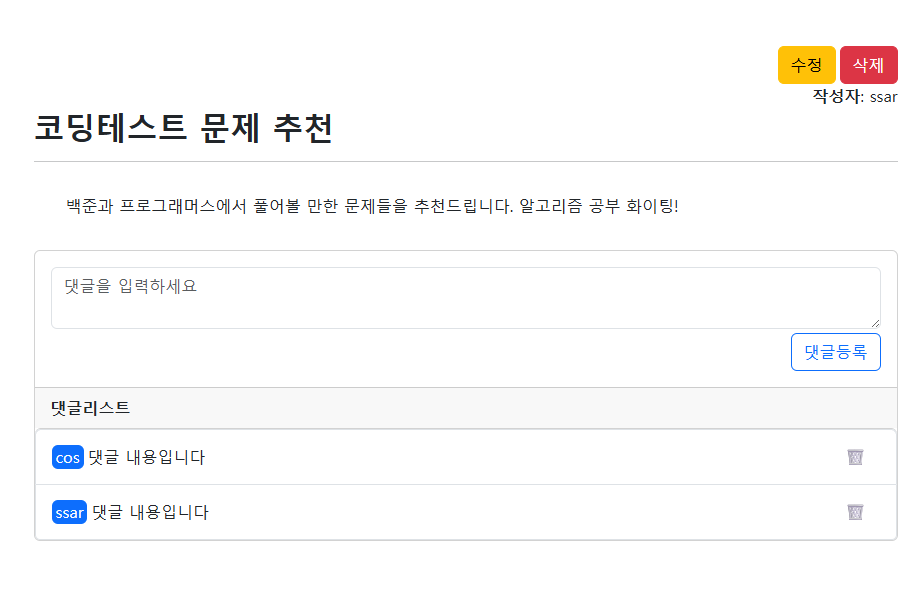
목표
게시글 수정 시 ---> 다시 사용자가 게시글 작성할 수 있도록 설계
update-form.mustache 코드
{{> layout/header}}
<div class="container p-5 flex-grow-1">
    <div class="card">
        <div class="card-header"><b>글수정 화면입니다</b></div>
        <div class="card-body">
            <!--  익명 게시글 작성    -->
            <form action="/board/save" method="post">
                <div class="mb-3">
                    <input type="text" name="username"  class="form-control"
                           placeholder="enter username" value="{{board.username}}">
                </div>
                <div class="mb-3">
                    <input type="text" name="title" class="form-control"
                           placeholder="enter title" value="{{board.title}}">
                </div>
                <div class="mb-3">
                    <textarea type="text" name="content" rows="5" class="form-control" placeholder="enter title">
                        {{board.content}}
                    </textarea>
                </div>
                <button class="btn btn-primary">글수정 완료</button>
            </form>
        </div>
    </div>
</div>

{{> layout/footer}}
BoardController 코드 부분
    // http://localhost:8080/board/1/update-form
    @GetMapping("/board/{id}/update-form")
    public String updateFormPage(@PathVariable(name = "id") Integer id, Model model) {
        // 사용자 에게 해당 게시물 내용을 보여 줘야 한다.

        // 조회 기능 - 게시글 id로
        Board board = boardNativeRepository.findById(id);
        model.addAttribute("board", board);

        return "board/update-form";
    }
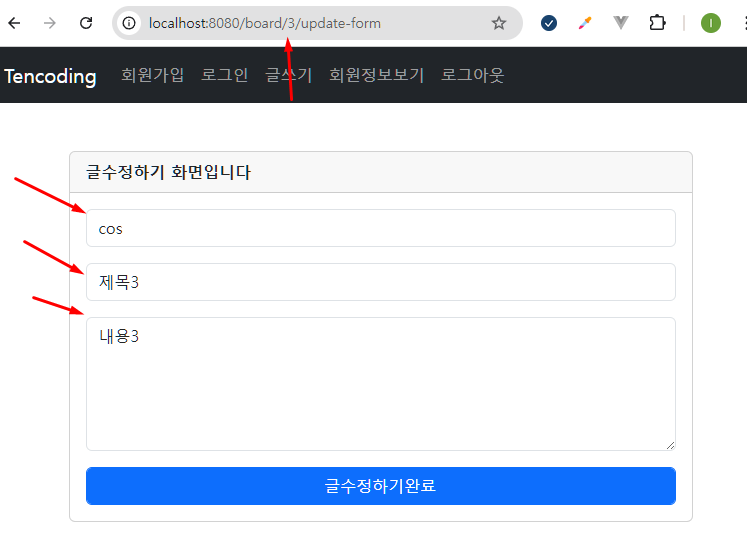
게시글 수정하기 페이지 만들기
BoardController 코드 부분
// /board/{id}/update
    @PostMapping("/board/{id}/update")
    public String updateProc(@PathVariable(name = "id") Integer id,
                         @RequestParam(name = "username") String username,
                         @RequestParam(name = "title") String title,
                         @RequestParam(name = "content") String content) {

        log.info("username : " + username);
        log.info("title : " + title);
        log.info("content : " + content);
        log.info("id : " + id);

        boardNativeRepository.updateById(username, title, content, id);
        // 게시글 수정 완료 ---> 게시글 목록, 게시글 상세보기 화면
        // 리다이렉트는 뷰 리졸브 동작이 아닌 (내부 파일 찾는 것이 아니고)
        // 그냥 새로은 HTTP Get 요청이다.
        return "redirect:/board/" + id;
    }
BoardNativeRepository 코드 부분
    // 게시글 수정하기
    @Transactional
    public boolean updateById(String username, String title, String content, Integer id) {

        String queryStr = """
                update board_tb set username = ?, title = ?, content = ? where id = ?
                """;
        Query query = em.createNativeQuery(queryStr);
        query.setParameter(1, username);
        query.setParameter(2, title);
        query.setParameter(3, content);
        query.setParameter(4, id);

        int rows = query.executeUpdate();
        if(rows > 0) {
            return true;
        } else {
            return false;
        }
}'Spring boot 입문' 카테고리의 다른 글
| V2(PersistentContext)-패키지 구조 변경 (0) | 2026.05.07 |
|---|---|
| V2(PersistentContext)- 영속성 컨텍스트 개념 정리 (0) | 2026.04.30 |
| V1(익명블로그)-게시글 삭제하기 (0) | 2026.04.30 |
| V1(익명블로그)-게시글 상세보기 만들기 (0) | 2026.04.30 |
| V1(익명블로그)-게시글 목록 보기 (0) | 2026.04.29 |
'Spring boot 입문' Related Articles
more


